Why FlowPilot-AI
What makes it better
than the alternatives
- 01
Human approval first
AI never acts autonomously; every task, reply and proposal brief requires explicit approval before creation or sending
- 02
Unified inbox
Gmail, Slack, Microsoft Teams and WhatsApp messages in one view with AI analysis (facts vs suggestions) and project matching
- 03
Meeting intelligence
Google Meet and Fathom imports with AI-extracted decisions, action items and follow-up email drafts
- 04
Proposal workflow
Detects proposal requests, extracts requirements, generates versioned briefs with approval before marking as sent
- 05
Rule-based fallback
Works without AI keys using clearly labelled rule-based analysis; integrations show 'Not Connected' until configured
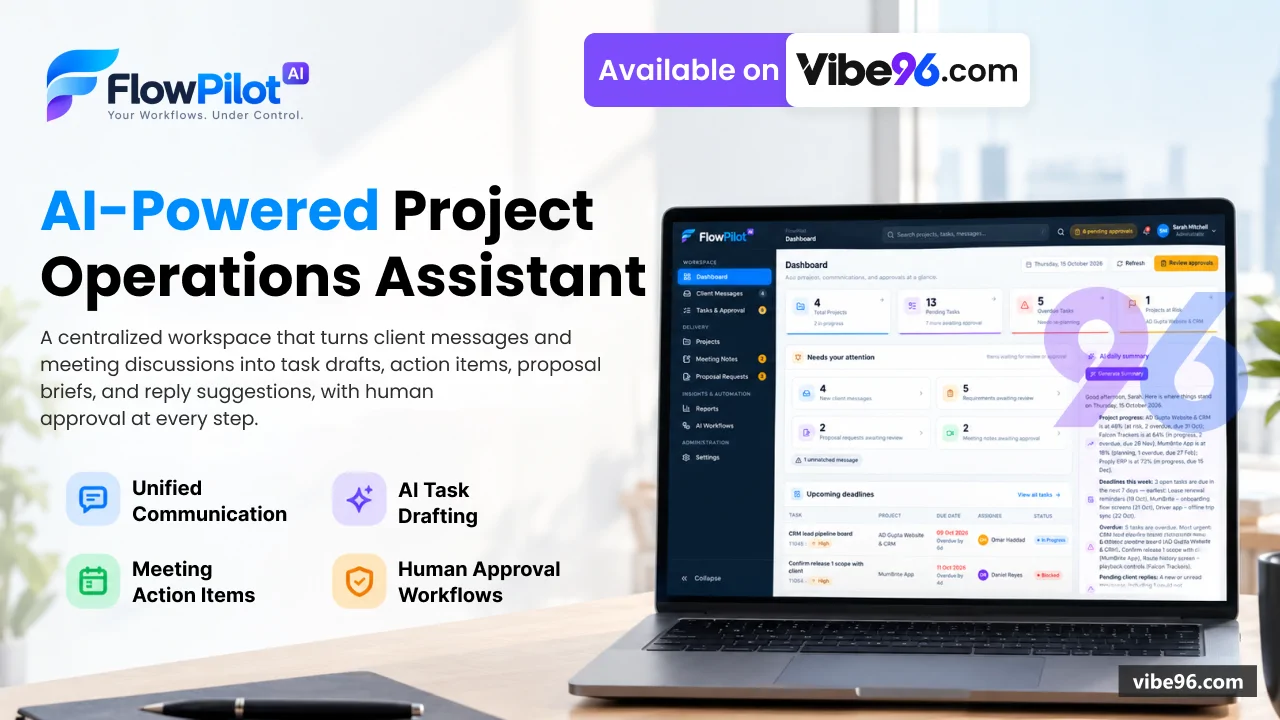
Dashboard
- KPIs: open tasks
- pending approvals
- unread messages
- active projects
- Upcoming deadlines and recent activity across all projects
- Client follow-ups requiring action
- Workflow status and AI daily summary
- Project health overview
Client Messages
- Unified inbox for Gmail
- Slack
- Microsoft Teams
- WhatsApp Business
- AI analysis: facts vs suggestions
- urgency
- sentiment
- extracted requirements
- Automatic project matching via keywords and sender history
- Manual message capture for offline communications
- Conversation threading and read/unread tracking
- Filter by project
- status (unread
- reviewed
- unmatched)
- channel
Reply to Clients
- Draft → approval → send workflow with idempotency
- AI-generated reply suggestions based on message context
- Channel-specific rules (email
- Slack
- Teams
- WhatsApp)
- Attachment support
- Delivery reconciliation and status tracking
- Template library for common responses
Tasks & Approval
- Approval queue for AI task drafts
- replies and proposal briefs
- Approve
- reject or request clarification actions
- Edit drafts before approval
- Audit trail of all approval decisions
- Configurable approval policy (auto-approve
- require approval
- manager-only)
- Bulk actions on pending items
All Tasks
- Filter by project
- assignee
- status
- priority
- deadline
- Sort by due date
- priority
- creation date
- CSV export (formula-injection safe)
- Assign
- reassign and comment on tasks
- Status history and audit log per task
- Task creation from messages
- meetings or manual entry
Projects
- Project creation with name
- client
- manager
- team members
- keywords
- Status tracking (Planning
- Active
- On Hold
- Completed
- Cancelled)
- Health indicators (On Track
- At Risk
- Blocked)
- Project-level view of tasks
- messages
- meetings
- proposals
- Team member management with role-based access
- Activity timeline and KPIs per project
- Unmatched messages and meetings triage
Meeting Notes
- Google Meet and Fathom transcript imports
- Manual meeting note entry
- AI summary: key points
- decisions
- action items
- Participant tracking and project linking
- Follow-up email draft generation
- Action items converted to task drafts for approval
- Meeting insights: sentiment
- topics
- next steps
Proposal Requests
- Automatic detection of proposal requests in messages
- Extracted requirements and scope
- Versioned brief generation with AI
- Approval workflow before marking as sent
- Status tracking (Detected
- In Progress
- Ready for Approval
- Approved
- Sent
- Declined)
- Brief regeneration with AI
- Proposal history and audit trail
Reports
- KPIs: tasks completed
- messages processed
- meetings held
- proposals sent
- Daily report with AI-generated summary
- Workflow activity: executions
- successes
- failures
- Integration failure log with retry status
- CSV export of project data (formula-injection safe)
- Time range filters (1
- 7
- 30
- 90 days)
- Project-level drill-down
AI Workflows
- Message → task draft workflow
- Meeting → action items workflow
- Proposal detection and brief generation
- Reply sending workflow
- Test runs with dry-run mode
- Retry failed executions
- Execution history and logs
- Workflow statistics and performance metrics
Settings
- Integration management: OAuth/API keys (encrypted with ASP.NET Core Data Protection)
- AI provider configuration: Claude
- OpenAI
- Azure OpenAI or Disabled
- Monitoring rules and alert thresholds
- Approval policy: auto-approve
- require approval
- manager-only
- User management: create
- edit
- deactivate
- reset password
- Role assignment: Administrator
- Project Manager
- Team Member
- Audit log: all data-changing actions with user
- timestamp
- outcome
- Notification preferences per user
| Language | Version | Framework | Used for | Share of code |
|---|---|---|---|---|
| C# | — | — | Web, API, admin | 43.8% |
| CSS | — | — | Styling | 25.8% |
| SQL | — | — | Database | 13% |
| C# (Razor) | — | — | Web pages | 12.6% |
| HTML | — | — | Front-end | 2.6% |
| JavaScript | — | — | Front-end | 1.3% |
| Python | — | — | Web, API | 0.9% |
- Primary language
- C# 13 (.NET 10)
- Framework
- ASP.NET Core MVC 10.0
- Database
- SQL Server 2019+
- Authentication
- Cookie-based (ASP.NET Core Identity primitives, no external provider)
- Licence
- Single-site
- Screens
- 47
- Database tables
- 23
- Supported languages
- English only
- Browser support
- Modern browsers (Chrome, Firefox, Safari, Edge — ES6+)
| Minimum | Recommended | |
|---|---|---|
| CPU | 2 vCPU | 4 vCPU |
| RAM | 4 GB RAM / 20 GB SSD | 8 GB RAM / 40 GB SSD |
| OS | Linux (Ubuntu 22.04+) or Windows Server 2019+ with .NET 10 runtime | Linux (Ubuntu 22.04+) or Windows Server 2019+ with .NET 10 runtime |
| Est. monthly hosting | $25 | $25 |
```bash
cp .env.example .env
# Edit .env: set MSSQL_SA_PASSWORD, FLOWPILOT_ConnectionStrings__FlowPilot, AI keys, integration secrets
docker-compose up -d
# App runs on http://127.0.0.1:5000; initial admin password in App_Data/initial-credentials.txt
```
```bash
# Install .NET 10 SDK
wget https://dot.net/v1/dotnet-install.sh
chmod +x dotnet-install.sh
./dotnet-install.sh --channel 10.0

# Install SQL Server 2022 (or use remote instance)
curl https://packages.microsoft.com/keys/microsoft.asc | sudo tee /etc/apt/trusted.gpg.d/microsoft.asc
sudo add-apt-repository "$(wget -qO- https://packages.microsoft.com/config/ubuntu/22.04/mssql-server-2022.list)"
sudo apt-get update && sudo apt-get install -y mssql-server
sudo /opt/mssql/bin/mssql-conf setup

# Create database
sqlcmd -S localhost -U sa -P '<SA_PASSWORD>' -i database/schema.sql
sqlcmd -S localhost -U sa -P '<SA_PASSWORD>' -i database/seed.sql

# Build and run
cd "NET Project"
export FLOWPILOT_ConnectionStrings__FlowPilot="Server=localhost;Database=FlowPilot;User Id=flowpilot_app;Password=<APP_PASSWORD>;Encrypt=True;TrustServerCertificate=True"
export FLOWPILOT_Integrations__PublicBaseUrl="https://flowpilot.example.com"
dotnet publish src/FlowPilot.Web -c Release -o /var/www/flowpilot
sudo systemctl enable --now /etc/systemd/system/flowpilot.service
# Reverse proxy with nginx/Caddy on port 443
```
```powershell
# Install .NET 10 Hosting Bundle from https://dotnet.microsoft.com/download/dotnet/10.0
# Create SQL Server database (run schema.sql + seed.sql in SSMS)
# Publish from Visual Studio or:
cd "NET Project"
dotnet publish src\FlowPilot.Web -c Release -o C:\inetpub\flowpilot
# Set environment variables in web.config or IIS Application Settings:
# FLOWPILOT_ConnectionStrings__FlowPilot, FLOWPILOT_Integrations__PublicBaseUrl, AI keys
# Create IIS site pointing to C:\inetpub\flowpilot, app pool .NET CLR Version: No Managed Code
# Initial admin password in App_Data\initial-credentials.txt
```
```bash
# Requires SQL Server (Docker or local instance)
docker run -e "ACCEPT_EULA=Y" -e "MSSQL_SA_PASSWORD=YourStrong!Passw0rd" -p 1433:1433 -d mcr.microsoft.com/mssql/server:2022-latest
sleep 30
sqlcmd -S localhost -U sa -P 'YourStrong!Passw0rd' -Q "CREATE DATABASE FlowPilot"
sqlcmd -S localhost -U sa -P 'YourStrong!Passw0rd' -d FlowPilot -i database/schema.sql
sqlcmd -S localhost -U sa -P 'YourStrong!Passw0rd' -d FlowPilot -i database/seed.sql

cd "NET Project"
export FLOWPILOT_ConnectionStrings__FlowPilot="Server=localhost;Database=FlowPilot;User Id=sa;Password=YourStrong!Passw0rd;Encrypt=True;TrustServerCertificate=True"
export ASPNETCORE_ENVIRONMENT=Development
dotnet run --project src/FlowPilot.Web
# Open http://127.0.0.1:5181; admin password in src/FlowPilot.Web/App_Data/initial-credentials.txt
```
Quality report
Manually reviewedHow to read the quality report
What this is. Every project on Vibe96 goes through an automated audit of its source code before a reviewer in Dubai checks it by hand. The score is out of 100; 75 is the minimum to be listed, and any single failing check blocks a listing regardless of the score.
- Security
- No real credentials in the code, every data-changing route protected, admin areas role-gated, no SQL built from user input.
- Code structure
- A developer can navigate and extend it: clear module boundaries, no giant files, little copy-paste.
- Docs & completeness
- The setup guide, example config, schema and required files the builder committed to are actually in the archive.
- Dependency health
- Packages pinned, no known critical vulnerabilities, no abandoned libraries in production paths.
- Build & deploy
- A clean machine can restore, build and start it by following the shipped instructions.
Warnings are problems that didn't block the listing; they stay visible here until a later version clears them. The audit reads the code — it does not run it — so always try the live demo before you buy. Lines of code are counted from the same audited archive.
91/ 100
Automated audit score
✓ Passed the auditReviewer notes (3 minor)
Clean architecture with minor duplication and some configuration hard-coding; strong authentication & role guards; minor ownership gaps on read endpoints; weak default credentials and test secrets present; no real production credentials found. None of these stop the software from working; the developer has been told and improvements come in a future update.
Versions & updates
No updates yet. New versions appear here with a changelog.
Buyers receive updates free for 1 year.
What you get
- </>Full source codeThe complete audited source, delivered as a download from your account. No obfuscation.
- ▤DocumentationSetup guide, architecture notes, CLAUDE.md and AGENTS.md.
- ↻One year of updatesEvery new version the builder publishes, free for 12 months.
- ♧30 days of supportInstallation and defect support through Vibe96 tickets.