The coordinator
Nova
Connects the work
Helps turn your idea into clear tasks and brings the coding and image-generation work together around the changes you choose.
Vibe StudioBeta
Improve the app you own with Nova, your AI developer.
See the design first. Review the cost. Build when you’re ready.
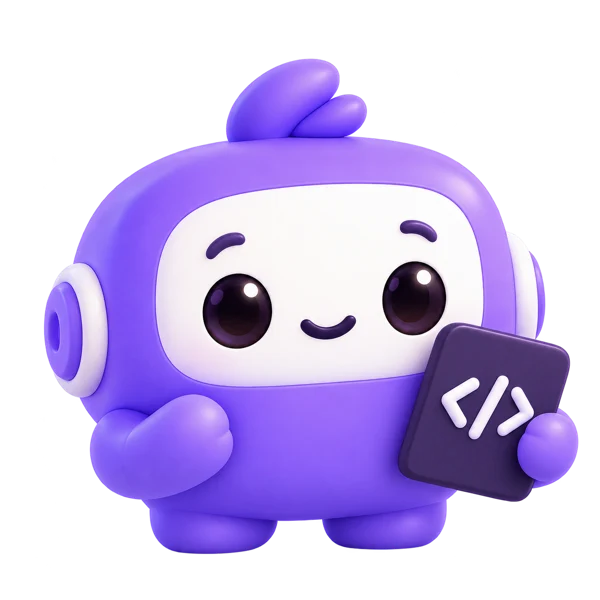 Nova · Your Vibe Studio developer
The power of Nova
You know what you want to improve. Nova helps turn that idea into changes you can understand, preview and approve.
Start with a conversation, a screenshot or a document. Nova helps define the work, studies your page’s style and brings the proposed changes into your development workflow.
One coordinator. AI specialists working together.Nova connects your project context with coding and image generation.
Describe a new feature, a design improvement or a problem to fix.
Turn the conversation into checklist points. See an estimate for each task.
Preview the proposed design on your page. Refine it before development.
Develop the selected points, then review the result with version history in reach.
Specialists working together
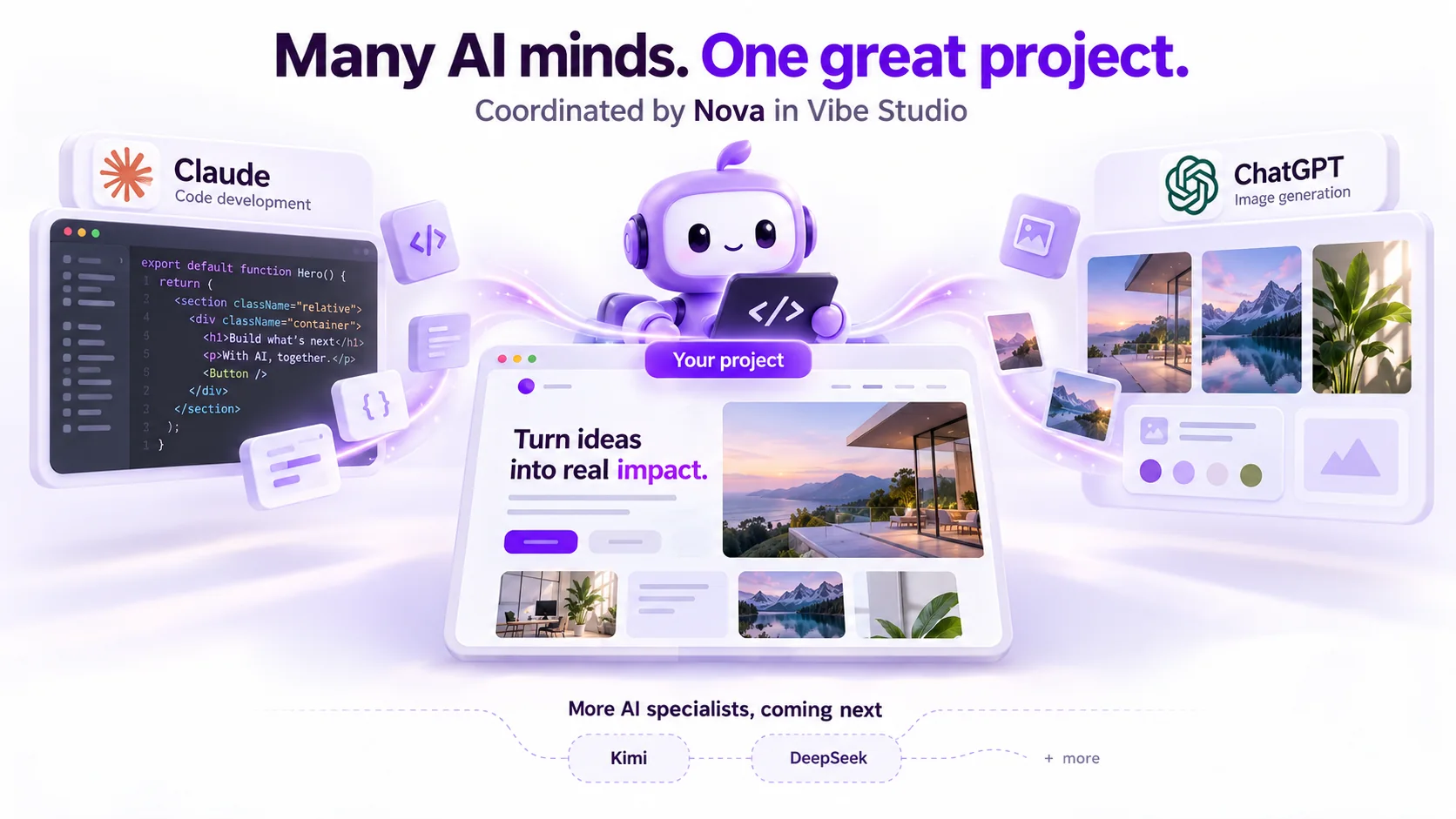
Your project needs both working code and the right visuals. Vibe Studio brings AI from different providers into one connected workflow, coordinated by Nova.
In this workflow, Claude handles code development and ChatGPT handles image generation when a task needs new visuals. You discuss the outcome with Nova, review the proposed changes and decide what to develop.
The coordinator
Connects the work
Helps turn your idea into clear tasks and brings the coding and image-generation work together around the changes you choose.
Code development
Builds the functionality
Handles the code behind your selected changes, from updating page layouts to developing features and fixing issues.
Image generation
Creates the visuals
Generates images from your brief when they are needed, helping the visual content fit the page Nova is helping you build.
One request, shared work
“Redesign my About page and add a new hero image.”
Nova shapes the tasks and design direction. Claude develops the page changes. ChatGPT generates the new image. You review the design and estimates before starting development.
Planned additions
We plan to add agents powered by Kimi, DeepSeek and other providers, expanding the skills available inside Vibe Studio.
01 — A plan you can review
Nova organises your discussion into specific tasks. You choose what makes it into the next build.
Estimates guide your decision. Actual usage can vary.
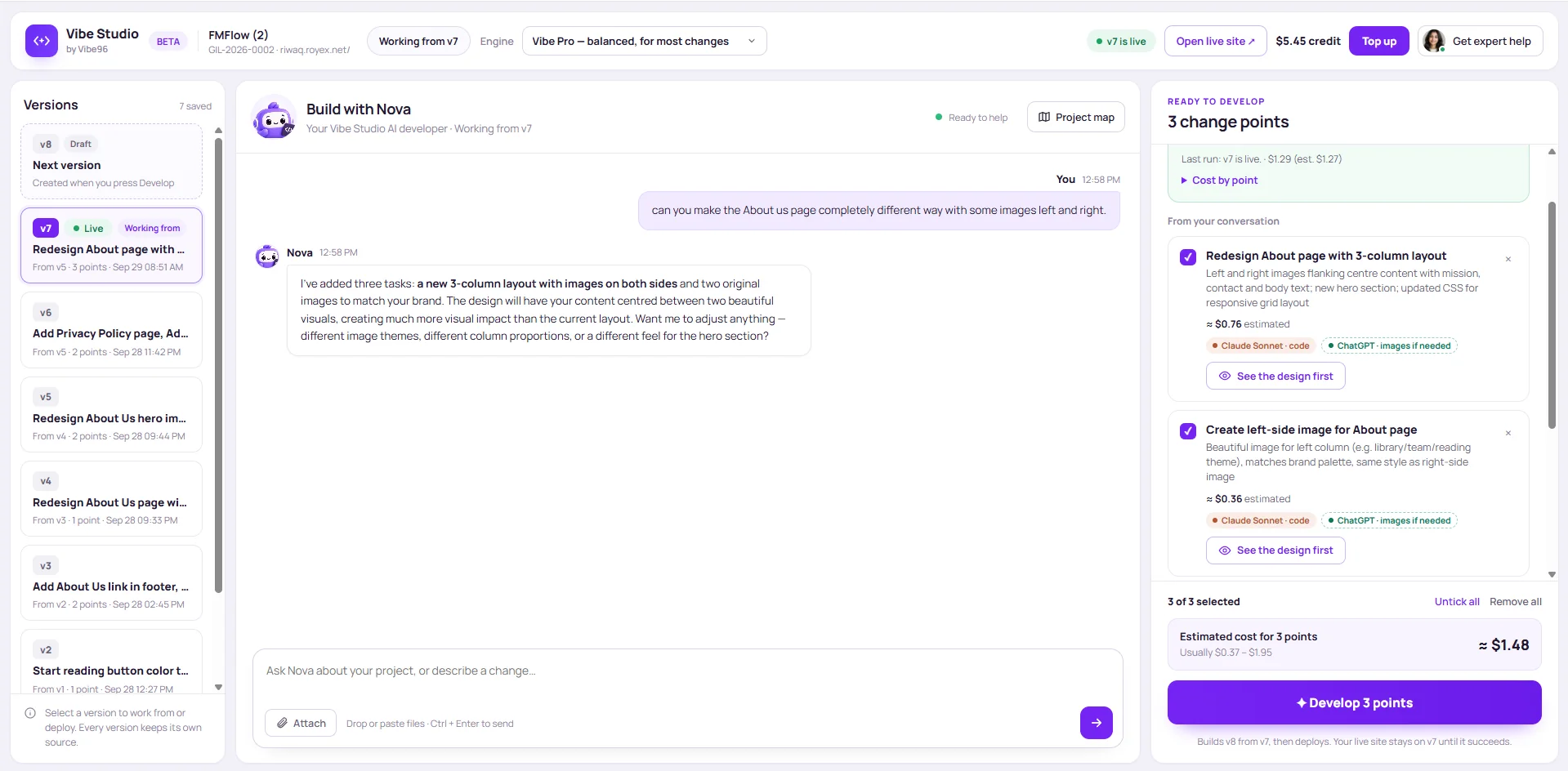
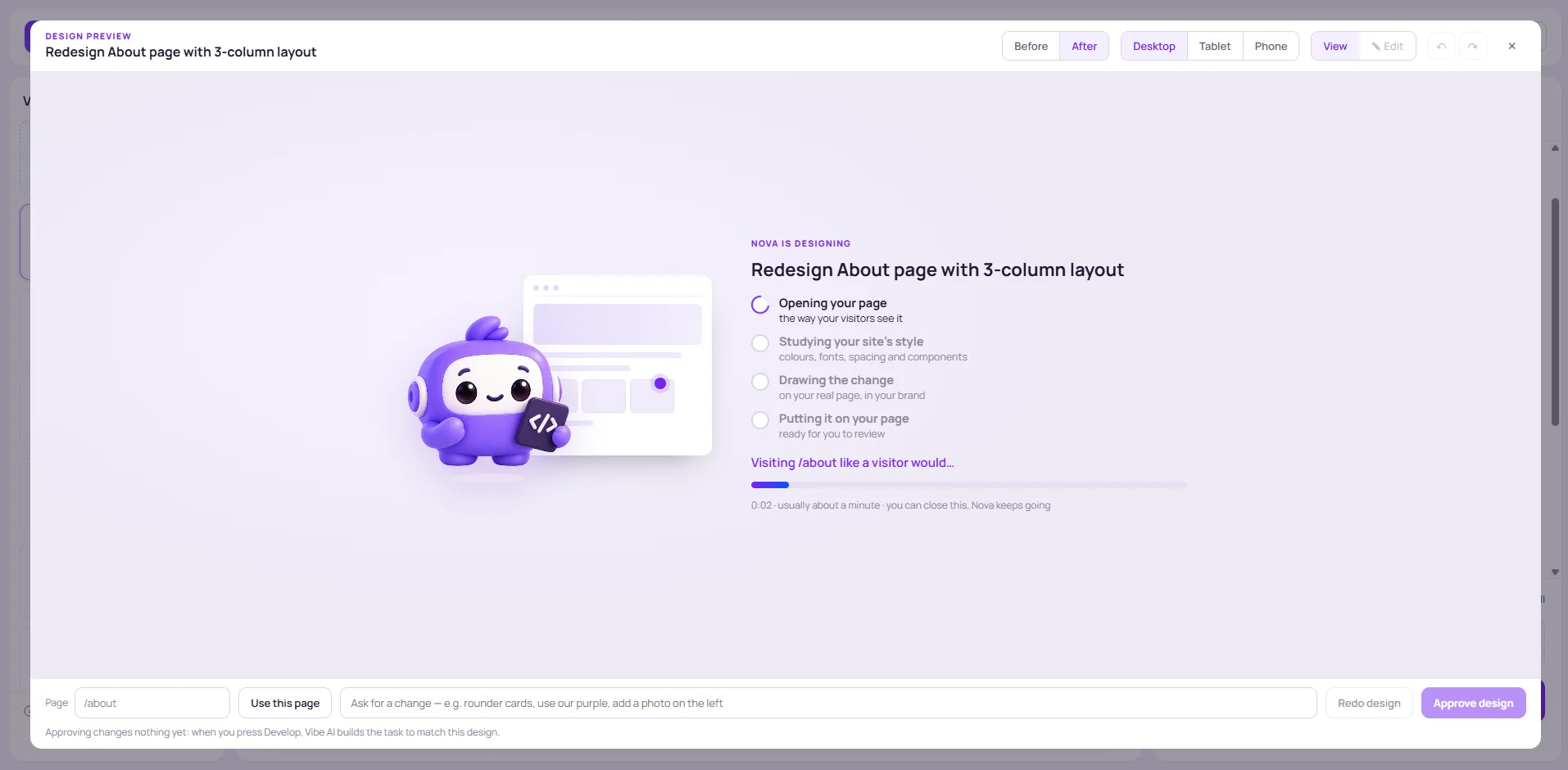
02 — Design in context
Nova studies the page and its existing style to prepare a design preview. Review the direction before asking it to develop.
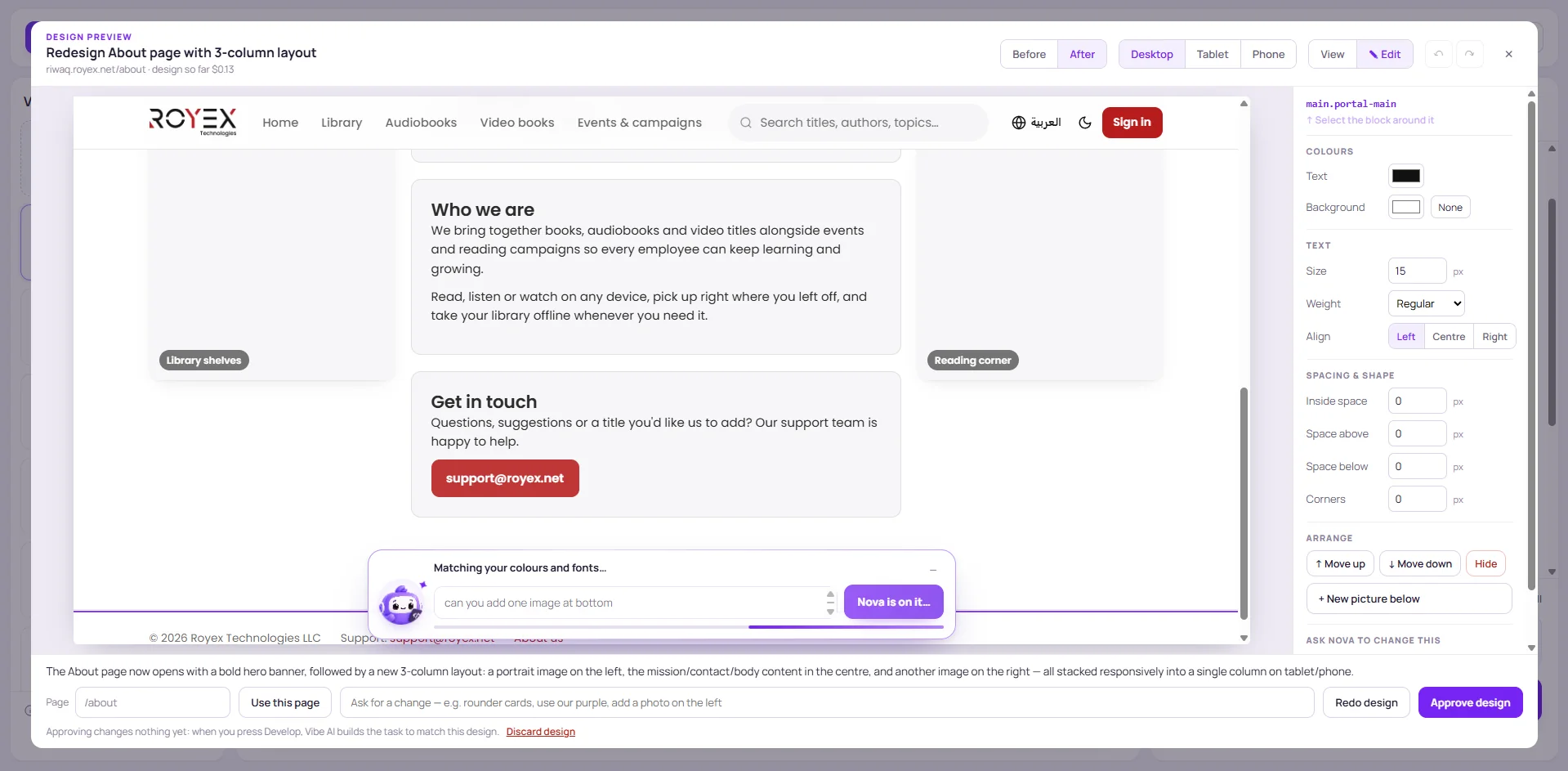
03 — Fine-tune the details
Change text, colour, spacing or an image directly.
Or select an element and tell Nova what you have in mind.
Built for the work after launch
A practical workspace for improving real software.
Design decisions, development and control, together.
Start with software from Vibe96 or bring an existing project through your setup workflow.
See earlier changes, choose a version to work from and keep the source for each version.
Build a new version while the current one stays live until the new deployment succeeds.
Use Git / GitHub sync so your developers can continue working with their own tools.
Nova coordinates Claude for code and ChatGPT for images, bringing their roles into one project workflow.
See how they work togetherNeed a specialist for a complex change? Get expert help from inside your workspace.
Meet the expertsThe Vibe Studio advantage
Own the code. Choose the changes. See the estimate.
Vibe Studio brings it together around the app you already own.
Your app keeps running on your server, with your code. Every version keeps its own source and the live site stays up until a new version passes.
See the change on your real page, edit it by hand or ask Nova, and approve it. The approved design is what gets built.
Each task shows an estimate before you press Develop, and the actual cost afterwards. You choose what goes into the next build.
| Feature | Vibe Studio |  Replit Replit |
 Base44 Base44 |
|---|---|---|---|
| Works on an existing project, any stack | Yes | Import only | No |
| Your own server, full code ownership | Yes | No | No |
| Cost estimate per task before building | Yes | No | No |
| Design preview on the real page, before code | Yes | No | No |
| Visual editor with an AI command per element | Yes | Basic | Basic |
| App testing agent | Yes | Yes | Partial |
| Data editor and content changes | Yes | Partial | Yes |
| Git / GitHub sync | Yes | Yes | Partial |
| Versions, preview link, auto-rollback | Yes | Checkpoints | Partial |
| Models from several AI companies, together | Claude + ChatGPT | Mostly one | Mostly one |
| Real human experts on call | Yes | No | No |
All three have a live preview while iterating, plus secrets and integrations (Stripe, email, API keys). Replit and Base44 are trademarks of their owners; comparison based on their publicly described features.
Vibe Studio is in beta and comes with your Vibe96 project deployment.
A little more clarity
What to know before your next change.
You can describe changes and refine a design in plain language. More complex features, integrations or setup may benefit from a developer or Vibe96 expert.
No. Approving saves the design as the guide for the build. Nothing changes until you press Develop — then Vibe Studio builds a new version, and your live site keeps running the current one until the new version passes.
Yes. Set it up through Get it Live. Once it runs on your server, Vibe Studio imports it as your first version and you can improve it with Nova.
Vibe Studio uses pay-as-you-go credit. Each task shows an estimate before you build and the actual cost afterwards, so you always choose what goes into the next version. New accounts start with free credit.
Every version keeps its own source. Deploys keep a backup and roll back automatically if the site doesn’t respond, you can switch back to an earlier version, and a Vibe96 expert is one click away.
Claude writes and fixes the code, with Vibe Auto choosing the right Claude model for each task. ChatGPT creates new images when a task needs them. More AI specialists are coming next.
Yes. With Git / GitHub sync your developers keep using their own tools, and Vibe Studio works from the same code.

AI can make mistakes. Check important details.