 Built by
About this software
About QualiGuard
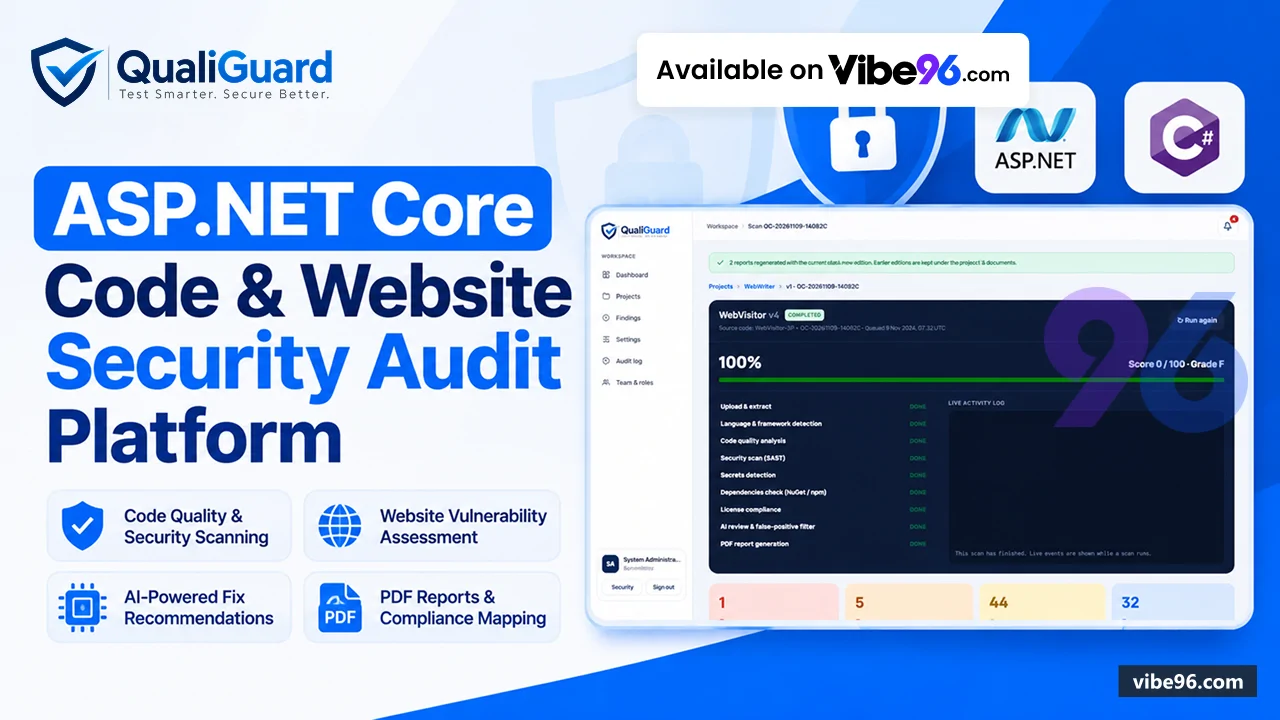
QualiGuard is a web app (ASP.NET Core 10 MVC, EF Core on SQL Server) where users upload a C# project or enter a website and watch a scan run live over SignalR. Scans are queued with Hangfire and cover code quality, security, hard-coded secrets, NuGet packages and licences. Findings can be triaged (status, assignee, comments), exported to Excel or JSON, and explained by the Claude API on demand. QuestPDF produces PDF reports, and the login page copy says they map to OWASP Top 10 2025, CWE, PCI DSS and ISO 27001. The built-in 'Lite' scan engines need no Docker; a Docker sandbox mode is optional. Full source, SQL schema, setup docs and tests are included. QuestPDF's Community licence only covers organisations under USD 1M revenue, so larger buyers need their own licence.
Why QualiGuard
What makes it better
than the alternatives
- 01
Live scan progress
Scan stages stream to the browser through a SignalR hub, with pause, cancel and rerun controls.
- 02
Built-in engines, no Docker needed
C# review with data-flow analysis, duplicate-code detection, a secret scan and passive website checks run in 'Lite' mode by default.
- 03
Fix-oriented AI review
Each finding can get an on-demand Claude explanation and corrected code, with a monthly budget and an admin-managed API key.
- 04
Audit-ready evidence pack
CLAUDE.md, audit-evidence and security-safeguards docs list the measured DB facts, a per-controller policy table and the dependency checks.
- 05
Hardened by design
Deny-by-default authorisation, global antiforgery, rate limits, 2FA, masked failed-login audit entries, and integration tests for role matrix and ID tampering.
Scanning engines
- ASP.NET Core/C# source review with data-flow rules
- Secret scanning with gitleaks rules
- NuGet package and licence analysis
- Passive website scanning and domain-verification (DNS TXT)
- Optional Docker sandbox runner with safe ZIP extraction
Scan orchestration
- Hangfire job queue with a staged pipeline
- Version queueing per project
- Pause
- cancel and rerun
- Live progress through SignalR
Findings triage
- Filterable findings list and detail panel
- Status changes with reason
- assignee and comments
- Score recalculation after triage
- Scan-to-scan comparison
- Excel and JSON export
AI review
- On-demand explanation and fix per finding
- Optional AI review at scan start
- Monthly usage budget
- Admin API key save
- test and remove
PDF reports
- Executive
- technical and comparison reports via QuestPDF
- Compliance section with CWE mapping
- Preview and download in browser
- Regeneration as new editions
- earlier ones kept
Projects and sources
- Projects with members and archiving
- ZIP upload with ownership checks and a ClamAV config in infra
- Git repository connection with encrypted access token and connection test
- Project documents and version history
Users and access
- Roles: Administrator
- Manager
- Developer
- Viewer
- Policies: ReadAudit
- ManageProjects
- Contribute
- Invitations and password reset by email token
- Two-factor sign-in with recovery codes and lockout
Administration
- Branding with logo upload and accent colour
- Security settings: required 2FA and session length
- Retention for source code
- reports and audit log
- Audit log page with filters
- Notification bell and dashboard KPIs and trends
Deployment
- Docker Compose with a db-init service and least-privilege SQL login
- schema.sql and seed.sql database scripts
- Startup refuses to run on missing required settings
- CI and security GitHub workflows
| Language | Version | Framework | Used for | Share of code |
|---|---|---|---|---|
| C# | — | — | Web, API, admin | 66.2% |
| C# (Razor) | — | — | Web pages | 10.6% |
| JavaScript | — | — | Front-end | 9.2% |
| HTML | — | — | Front-end | 8.3% |
| CSS | — | — | Styling | 2.9% |
| SQL | — | — | Database | 2.7% |
| Shell | — | — | Scripts | 0.1% |
- Primary language
- C# / .NET 10 (ASP.NET Core 10)
- Framework
- ASP.NET Core 10 MVC with EF Core 10
- Database
- SQL Server 2019+ (Express or Standard)
- Authentication
- ASP.NET Identity: email and password, optional two-factor with recovery codes, role policies
- Licence
- Single-site
- Screens
- 21
- Database tables
- 24
- Supported languages
- English only; no RTL support in the code
- Browser support
- Modern evergreen browsers (Tailwind CSS 4 and SignalR client); no tested browser matrix in the digest
| Minimum | Recommended | |
|---|---|---|
| CPU | 2 vCPU | 4 vCPU |
| RAM | 4 GB (estimate) | 8 GB (estimate) |
| OS | Windows or Linux, .NET 10 runtime and SDK, Node.js 24 LTS for the front-end build, SQL Server 2019+ | Windows or Linux, .NET 10 runtime and SDK, Node.js 24 LTS for the front-end build, SQL Server 2019+ |
| Est. monthly hosting | $25 | $25 |
Requires Docker with Compose v2. Create a private `.env` file with `SQL_SA_PASSWORD`, `QG_SQL_APP_PASSWORD`, `QG_ADMIN_EMAIL` and `QG_ADMIN_PASSWORD`, then run:

```
docker compose up --build
```

The `db-init` service creates the database and app login automatically.
Requires .NET SDK 10.0.100+, Node.js 24 LTS, SQL Server 2019+ and `sqlcmd` 18+. Run from the database folder:

```
sqlcmd -S <server> -i database/schema.sql
sqlcmd -S <server> -v AppPassword="<strong password>" -i database/create-app-login.sql
```

Copy `NET Project/appsettings.example.json` to `src/QualiGuard.Web/appsettings.json` and fill in the connection string, `App:PublicBaseUrl`, `AllowedHosts`, `FirstAdmin:Email` and `FirstAdmin:Password`. Then build and run:

```
cd "NET Project"
dotnet restore --locked-mode
dotnet publish src/QualiGuard.Web -c Release -o publish
dotnet publish/QualiGuard.Web.dll
```

Run the app behind HTTPS. Hangfire creates its tables on first start.
Quality report
Manually reviewedHow to read the quality report
What this is. Every project on Vibe96 goes through an automated audit of its source code before a reviewer in Dubai checks it by hand. The score is out of 100; 75 is the minimum to be listed, and any single failing check blocks a listing regardless of the score.
- Security
- No real credentials in the code, every data-changing route protected, admin areas role-gated, no SQL built from user input.
- Code structure
- A developer can navigate and extend it: clear module boundaries, no giant files, little copy-paste.
- Docs & completeness
- The setup guide, example config, schema and required files the builder committed to are actually in the archive.
- Dependency health
- Packages pinned, no known critical vulnerabilities, no abandoned libraries in production paths.
- Build & deploy
- A clean machine can restore, build and start it by following the shipped instructions.
Warnings are problems that didn't block the listing; they stay visible here until a later version clears them. The audit reads the code — it does not run it — so always try the live demo before you buy. Lines of code are counted from the same audited archive.
87/ 100
Automated audit score
✓ Passed the auditReviewer notes (2 minor)
No real credentials in code; demo password published in readme is a weak shared default; strong deny-by-default authz design, but only a partial view of controllers and one logout/csrf note; no injection seen in visible code, but schema and data-access files were not provided for review; build looks largely reproducible, but key files (howtosetup.md, csproj, dockerfiles) could not be verified. None of these stop the software from working; the developer has been told and improvements come in a future update.
Versions & updates
No updates yet. New versions appear here with a changelog.
Buyers receive updates free for 1 year.
What you get
- </>Full source codeThe complete audited source, delivered as a download from your account. No obfuscation.
- ▤DocumentationSetup guide, architecture notes, CLAUDE.md and AGENTS.md.
- ↻One year of updatesEvery new version the builder publishes, free for 12 months.
- ♧30 days of supportInstallation and defect support through Vibe96 tickets.