 Built by
About this software
About TallySwift
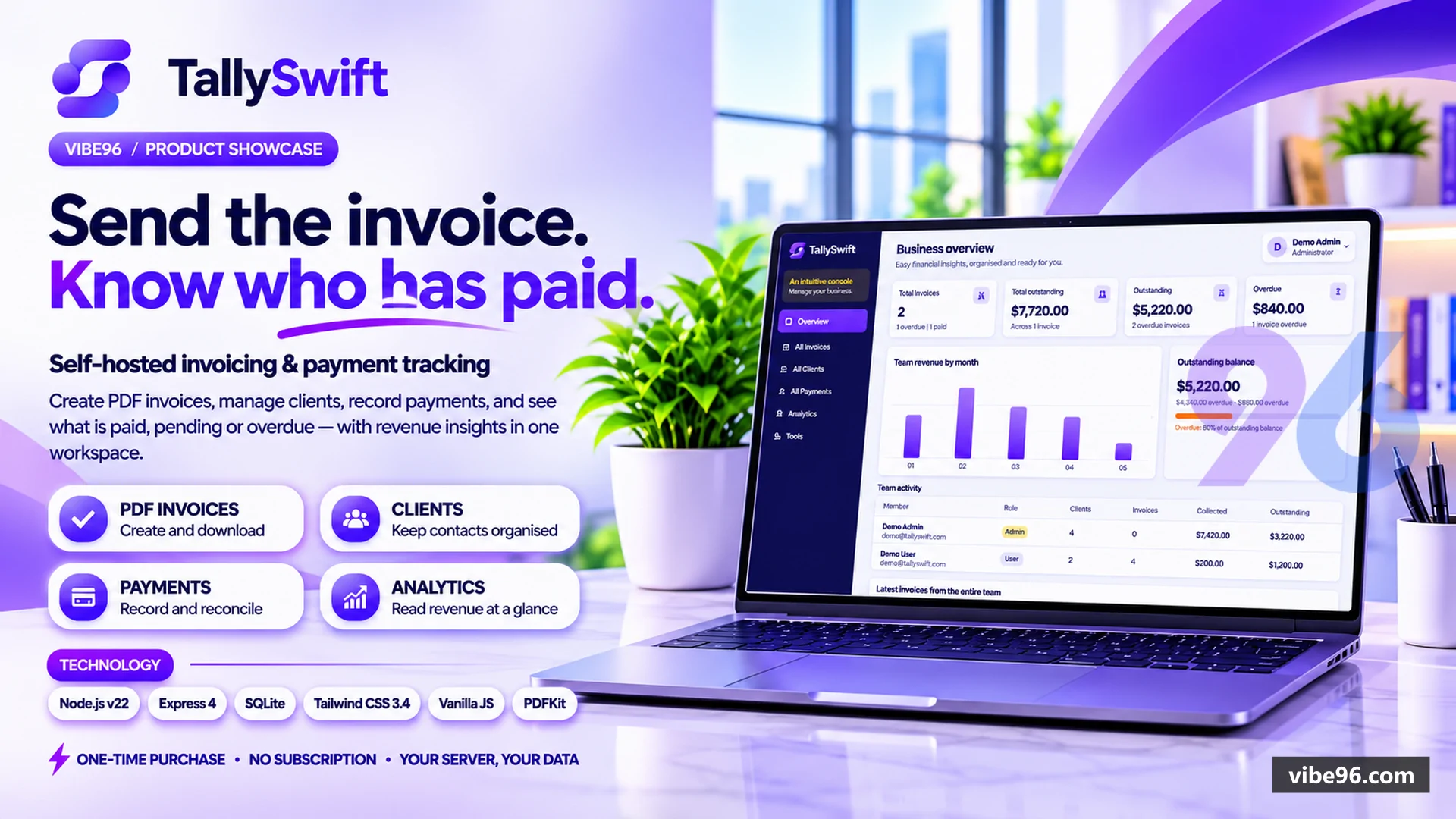
TallySwift is a self-hosted invoicing and payment-tracking app for freelancers and small businesses, built with Node.js, Express and SQLite. Create professional PDF invoices with line items, tax and currency, manage clients, record payments against invoices, and watch paid, pending and overdue status update automatically, with revenue analytics on the dashboard.
Two roles, each with its own dashboard, menu and data. The Admin sees a business overview, every member's invoices, clients and payments (with the owner shown), team-wide analytics and a Team page to add people and change roles. A User works only with their own records and cannot delete or open admin pages.
It ships ready to deploy: Dockerfile and Docker Compose, a step-by-step guide for a VPS with PM2 or systemd and an HTTPS reverse proxy, an idempotent SQLite schema, a create-admin command, opt-in demo seed data, a complete package-lock.json (audit result included in audit-result.txt) and an automated test suite covering roles, per-user data isolation and the database schema. One-time purchase, no subscription.
Why TallySwift
What makes it better
than the alternatives
- 01
Self-hosted, single SQLite file
Data lives in one database file on a Docker volume (WAL mode, foreign keys on), with no external database or subscription service required.
- 02
Separate Admin and User data
Every user query is filtered by the signed-in user's id, so a User sees only their own clients, invoices and payments. Admin-only routes (guarded by a role check) show the whole team's records with their owner.
- 03
Balance-checked payments
Payment creation runs in a transaction, blocks overpayment beyond the outstanding balance, and reconciles invoice status on add or delete.
- 04
Hardened sessions and requests
Production refuses to start without a 32+ character SESSION_SECRET, sign-in is rate-limited, and every write needs a same-origin check plus an X-Requested-With header.
- 05
Safe demo seeding and deploy files
Demo data is created only by an explicit command (SEED_DEMO=true). One-click demo sign-in is off by default and ignored in production unless explicitly allowed. The Docker image runs as a non-root user and migrates on start.
Authentication & Sessions
- Email and password login with bcrypt hashing
- session regeneration on login
- SQLite-backed sessions with scheduled expired-session cleanup
- configurable login rate limiting
- and a create-admin command for the first administrator (no public registration).
Roles & Team
- Separate Admin and User dashboards
- menus and data. The Admin gets a business overview
- all invoices
- clients and payments with their owner
- team-wide analytics
- a Team page to add members and change roles
- and delete rights. A User gets a personal dashboard and own records only
- with 403 on delete and admin routes.
Client Management
- Create
- list
- update and delete clients (name
- phone
- address
- tax number
- notes) with input validation; a client that still has invoices cannot be deleted.
Invoices & PDF
- Line items
- tax rate
- currency
- issue and due dates
- automatic TS-YYYY-NNNNNN numbering
- draft
- pending
- paid and overdue status (overdue is calculated from the due date) and PDF download.
Payments
- Record payments against an invoice with outstanding-balance validation; invoice status is reconciled automatically when a payment is added or deleted.
Analytics & Dashboards
- Collected
- pending and overdue totals
- a monthly revenue chart and recent invoices; the Admin sees organisation-wide figures
- a User sees their own.
Deployment & Operations
- Dockerfile and Docker Compose
- PM2/systemd and reverse-proxy guide
- idempotent SQLite schema with foreign keys and indexes
- health check
- opt-in demo seed data and an automated test suite.
| Language | Version | Framework | Used for | Share of code |
|---|---|---|---|---|
| JavaScript | — | — | Front-end | 79.2% |
| SQL | — | — | Database | 10.4% |
| HTML | — | — | Front-end | 5.8% |
| CSS | — | — | Styling | 3.5% |
| Shell | — | — | Scripts | 1.1% |
- Primary language
- JavaScript (Node.js 22.16.x) and SQL
- Framework
- Express 4.21.2 with vanilla JS front end and Tailwind CSS 3.4
- Database
- SQLite via better-sqlite3 11.8.1 (embedded, no separate server)
- Authentication
- Session login with bcryptjs password hashes, SQLite-backed sessions, login rate limiting and same-origin checks on mutating requests
- Licence
- Single-site
- Screens
- 6
- Database tables
- 7
- Supported languages
- English UI only; no translation framework in the code. No RTL support
- Browser support
- Modern evergreen browsers; no explicit browser matrix in the code
| Minimum | Recommended | |
|---|---|---|
| CPU | 1 vCPU | 2 vCPU |
| RAM | 512 MB RAM | 2 GB RAM |
| OS | Linux (Debian bookworm-slim Docker image) · Node.js 22.16+ (22.x) · npm 10+ · Express 4.22.3 · SQLite via better-sqlite3 11.8.1 | Linux (Debian bookworm-slim Docker image) · Node.js 22.16+ (22.x) · npm 10+ · Express 4.22.3 · SQLite via better-sqlite3 11.8.1 |
| Est. monthly hosting | $5 | $5 |
Requires Docker with the Compose plugin. Create the environment file, then build and start:

```
cd "Node.js App"
cp .env.example .env
# set SESSION_SECRET in .env: openssl rand -hex 32
cd ..
docker compose up -d --build
docker compose exec -e [email protected] -e ADMIN_PASSWORD='a-long-unique-password' tallyswift npm run create-admin
```

The container builds the CSS, runs `npm run migrate` and then starts. Open http://localhost:3000/app and sign in with the administrator you just created. Data persists in the `tallyswift-data` volume. Demo seeding is off unless you set SEED_DEMO=true and a strong DEMO_PASSWORD.
```
cd "Node.js App"
cp .env.example .env
# set SESSION_SECRET (openssl rand -hex 32) and APP_URL in .env
npm ci
npm run build
npm run migrate
[email protected] ADMIN_PASSWORD='a-long-unique-password' npm run create-admin
npm start
```

The lockfile is complete, so `npm ci` installs exactly the tested versions. Keep the app running with PM2 or systemd and put a TLS reverse proxy (Caddy or Nginx) in front, since production cookies are marked secure. The exact PM2, systemd, Nginx and Caddy configs are in HowToSetup.md.
Quality report
Manually reviewedHow to read the quality report
What this is. Every project on Vibe96 goes through an automated audit of its source code before a reviewer in Dubai checks it by hand. The score is out of 100; 75 is the minimum to be listed, and any single failing check blocks a listing regardless of the score.
- Security
- No real credentials in the code, every data-changing route protected, admin areas role-gated, no SQL built from user input.
- Code structure
- A developer can navigate and extend it: clear module boundaries, no giant files, little copy-paste.
- Docs & completeness
- The setup guide, example config, schema and required files the builder committed to are actually in the archive.
- Dependency health
- Packages pinned, no known critical vulnerabilities, no abandoned libraries in production paths.
- Build & deploy
- A clean machine can restore, build and start it by following the shipped instructions.
Warnings are problems that didn't block the listing; they stay visible here until a later version clears them. The audit reads the code — it does not run it — so always try the live demo before you buy. Lines of code are counted from the same audited archive.
Reviewer notes (2 minor)
Lockfile is a stub; versions pinned but several have known moderate advisories and no audit evidence; business logic and routing are minified into one-line files; several modules are hard to navigate and duplicate logic; queries are parameterised and user-scoped, but schema was not visible and migrate path looks inconsistent. None of these stop the software from working; the developer has been told and improvements come in a future update.
Versions & updates
No updates yet. New versions appear here with a changelog.
Buyers receive updates free for 1 year.
What you get
- </>Full source codeThe complete audited source, delivered as a download from your account. No obfuscation.
- ▤DocumentationSetup guide, architecture notes, CLAUDE.md and AGENTS.md.
- ↻One year of updatesEvery new version the builder publishes, free for 12 months.
- ♧30 days of supportInstallation and defect support through Vibe96 tickets.