 Built by
About this software
About ShelfWise POS & Inventory: Multi-Store Point of Sale for Small Retail
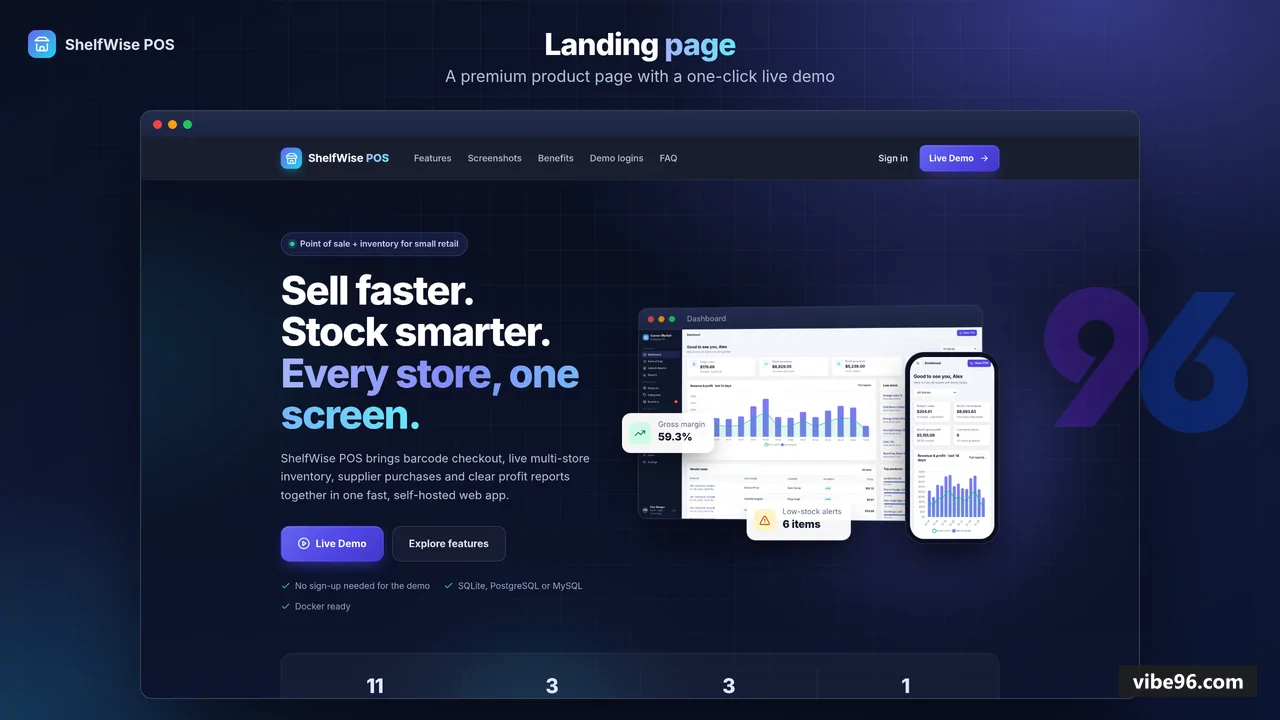
ShelfWise is a server-rendered Node.js 22 / Express 4 / EJS application that covers checkout, stock, purchasing, transfers, returns and profit reporting for small retail shops. It runs on SQLite by default and switches to PostgreSQL or MySQL through the DB_CLIENT environment variable, using Knex migrations. Three roles (Admin, Manager, Cashier) are enforced through a permission map, with store-level scoping of sales, stock, transfers and reports. The package includes Docker and docker-compose (app plus PostgreSQL) files, Render and Railway config, a create-admin script, and a node:test suite covering auth, access control, sales, inventory and schema. The listed screens are web pages only; the digest shows no mobile app, payment gateway integration or multi-language support. Payments are recorded as cash or card at the till, not processed online.
Why ShelfWise POS & Inventory: Multi-Store Point of Sale for Small Retail
What makes it better
than the alternatives
- 01
Server-side re-pricing
The checkout service prices every sale from the database, so prices sent from the browser cannot be tampered with.
- 02
Switchable database
SQLite works out of the box, and PostgreSQL or MySQL are selected by one environment variable via Knex.
- 03
Store-scoped access control
Permissions live in lib/permissions.js, with cashiers seeing only their own sales and managers limited to their own store; tests check the 403 and 404 paths.
- 04
Full stock movement ledger
Sales, returns, purchases, transfers and adjustments each write a stock movement, and atomic transfers move stock between stores and warehouses.
- 05
Deployment-ready package
Includes a Dockerfile, a docker-compose stack, a production start script, a create-admin command, CSRF protection, login rate limiting, Helmet CSP headers and a Knex-backed session store.
Point of Sale
- Barcode or SKU scan-to-add and live product search with category filters
- Cart-level discount as an amount or a percentage
- plus per-product tax
- Cash payments with change calculation
- and card payments
- Attach an existing customer or create one quickly at the till
- Printable receipt with a configurable footer
- Keyboard shortcuts F2 (search) and F4 (charge)
Products & Categories
- SKU
- barcode
- unit
- cost price
- selling price
- taxable flag and low-stock level
- Colour-coded categories
- Products with sales
- purchase or transfer history cannot be deleted and must be marked inactive
- Zero-stock rows are created for every store when a product is added
Inventory
- Stock per store or warehouse
- with stock value at cost and at retail
- Low-stock and out-of-stock filters
- Manual stock adjustments with a note
- Movement ledger filterable by reason (sale
- return
- purchase
- transfer in/out
- adjustment)
Purchases & Suppliers
- Supplier records
- Receive stock into a store with dynamic line items and a running total
- Optional update of product cost prices on receipt
- Purchase list and detail pages with reference numbers
Stores & Transfers
- Multiple stores and warehouses
- where warehouses cannot make POS sales
- Stock transfers between locations with reference numbers
- Non-admin users can only transfer out of their own store
Sales & Returns
- Sales history filtered by date
- store
- payment method
- status and search
- Sale detail pages and receipt reprint
- Full or partial returns with reasons and a refund amount
- Sale statuses: completed
- partially returned
- returned
Customers
- Customer records with name
- phone
- address and notes
- Customer detail page with purchase history and totals
- JSON lookup endpoint used by the POS screen
Reports & Dashboard
- Dashboard with today and month-to-date figures
- a 14-day series
- top products
- recent sales and low-stock list
- Reports with summary
- daily and monthly charts (Chart.js)
- top products
- and breakdowns by payment method and by category
- Date-range filter and per-store filter for admins
- CSV export of the daily series
Users & Settings
- Admin
- Manager and Cashier roles
- User management with activation
- password reset and store assignment
- which signs the user out of existing sessions
- Self-service password change on the account page
- Shop details
- currency
- tax label and rate
- and default low-stock level settings
- Configurable report timezone via APP_TIMEZONE
| Language | Version | Framework | Used for | Share of code |
|---|---|---|---|---|
| SQL | — | — | Database | 58.4% |
| JavaScript | — | — | Front-end | 36.4% |
| CSS | — | — | Styling | 5.2% |
- Primary language
- JavaScript (CommonJS) on Node.js 22+
- Framework
- Express 4.22.3 with EJS 3.1.10 server-rendered views, Knex 3.3.0 query builder
- Database
- SQLite 3 out of the box (better-sqlite3 12.11.1); PostgreSQL or MySQL/MariaDB via DB_CLIENT env var via Knex 3.
- Authentication
- Session login with bcrypt password hashes, CSRF protection, login rate limiting and RBAC (Admin/Manager/Cashier).
- Licence
- Single-site
- Screens
- 25
- Database tables
- 17
- Supported languages
- English UI only; currency code and symbol are configurable in Settings. No translation files are included. RTL not supported.
- Browser support
- Modern evergreen browsers (Chrome, Firefox, Safari, Edge). Vanilla JavaScript with no build step; no formal browser test matrix is documented.
| Minimum | Recommended | |
|---|---|---|
| CPU | 1 vCPU | 2 vCPU |
| RAM | 1 GB RAM (single-store SQLite) | 2 GB RAM (multi-store with PostgreSQL) |
| OS | Linux (Dockerfile base: node:22-bookworm-slim) with Node.js 22 or later | Linux (Dockerfile base: node:22-bookworm-slim) with Node.js 22 or later |
| Est. monthly hosting | $15 | $15 |
Build and run the single-container image with SQLite. Data persists in the named volume.
```
docker build -t shelfwise-pos .
docker run -p 3000:3000 -e SESSION_SECRET="$(openssl rand -hex 32)" -v shelfwise-data:/app/data shelfwise-pos
```
Create a real admin account (set SEED_DEMO=false for production):
```
docker exec -e [email protected] -e ADMIN_PASSWORD='long-strong-password' <container-name> npm run create-admin
```
Run the app with PostgreSQL 16 using the included docker-compose.yml.
```
export SESSION_SECRET="$(openssl rand -hex 32)" POSTGRES_PASSWORD="$(openssl rand -hex 16)" SEED_DEMO=false
docker compose up -d
docker compose exec -e [email protected] -e ADMIN_PASSWORD='long-strong-password' app npm run create-admin
```
render.yaml and railway.json are included for Render or Railway deployment. Set SESSION_SECRET and the database variables in the platform dashboard, then run the migration and seed step:
```
npm ci
npm run prepare-db
npm start
```
Quality report
Manually reviewedHow to read the quality report
What this is. Every project on Vibe96 goes through an automated audit of its source code before a reviewer in Dubai checks it by hand. The score is out of 100; 75 is the minimum to be listed, and any single failing check blocks a listing regardless of the score.
- Security
- No real credentials in the code, every data-changing route protected, admin areas role-gated, no SQL built from user input.
- Code structure
- A developer can navigate and extend it: clear module boundaries, no giant files, little copy-paste.
- Docs & completeness
- The setup guide, example config, schema and required files the builder committed to are actually in the archive.
- Dependency health
- Packages pinned, no known critical vulnerabilities, no abandoned libraries in production paths.
- Build & deploy
- A clean machine can restore, build and start it by following the shipped instructions.
Warnings are problems that didn't block the listing; they stay visible here until a later version clears them. The audit reads the code — it does not run it — so always try the live demo before you buy. Lines of code are counted from the same audited archive.
Reviewer notes (3 minor)
Small improvements the developer has been told about. None of them stop the software from working.
Versions & updates
No updates yet. New versions appear here with a changelog.
Buyers receive updates free for 1 year.
What you get
- </>Full source codeThe complete audited source, delivered as a download from your account. No obfuscation.
- ▤DocumentationSetup guide, architecture notes, CLAUDE.md and AGENTS.md.
- ↻One year of updatesEvery new version the builder publishes, free for 12 months.
- ♧30 days of supportInstallation and defect support through Vibe96 tickets.